


Are you over 18 and working toward service hours through your school, a faith community, scouts, or another program? We're glad you're here. Northside Neighborhood House has meaningful work to do, and we'd love to have your help.
This page walks you through how to get started and how to document your hours along the way.
Where You'll Serve
Short-term volunteers typically serve in our Thrift Stores. Saturday shifts are available at all three locations:
- Soddy Daisy Thrift Store
- Red Bank Thrift Store
- Northshore Thrift Store
Steps to Get Started
1. Register using the short-term volunteer link
Use this link to sign up, it gets you into the right registration track: Volunteer Registration
2. Complete your paperwork and background check
You'll sign a liability waiver and complete a background check. Both need to be finished before your first shift. Plan for about 3-5 business days for the background check to process.
3. Sign up for a shift
Once you're cleared, pick a Saturday shift at the location that works best for you. See the sign-up links below.
Soddy Daisy Thrift Store: Sign Up Here
Red Bank Thrift Store: Sign Up Here
Northshore Thrift Store: Sign Up Here
Documenting Your Hours
Our system automatically tracks your hours from kiosk check-in to check-out.
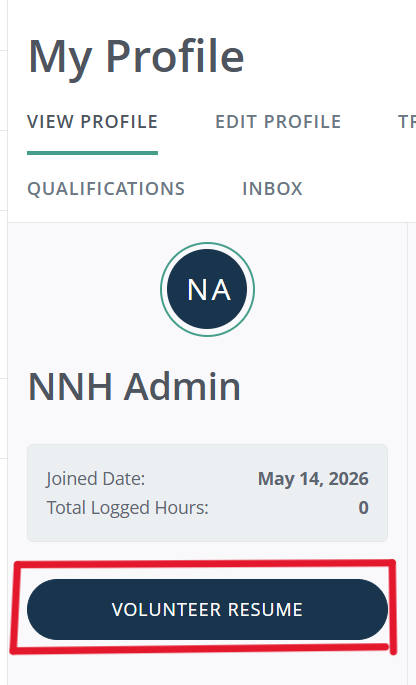
You can download a record of your volunteer hours directly from your account using the following steps.
1. Log in
2. Click the circular button in the top right corner of the menu 
3. Select "view profile" from the dropdown
4. Once on your profile, select Volunteer Resume. From there you can set a date range and download a PDF.
If you need your hours documented in a different format, reach out to kbagley@nnhouse.org and we'll work with you from there.

